System Navigator
The System Navigator is the core operational interface for the Engram platform, providing deep visibility and control over the AI’s cognitive processes, memory, and execution state.
Overview
The Navigator is divided into five key sections, mirroring the internal architecture of the AI:
- Chat: Direct interaction with the Brain (Agents).
- Memory: Exploration of the Temporal Knowledge Graph.
- Workflows: Management of the Spine (Temporal Workflows).
- Settings: Configuration of system behaviors.
- Admin: User management and system health monitoring.
1. Chat (Brain)
The primary interface for users to interact with AI agents.
- Multi-Agent Support: Switch between specialized agents (e.g., Elena, Marcus).
- VoiceLive: Real-time voice interaction with visual avatars.
- Context Awareness: Visual Panel displays relevant artifacts beside the chat.
2. Memory (Zep + Graphiti)
Provides transparency into what the AI knows and remembers.
- Knowledge Graph: Visual exploration of entities and relationships (Facts).
- Episodes: Chronological view of past conversations and interactions.
- Search: Semantic search across the entire memory store.
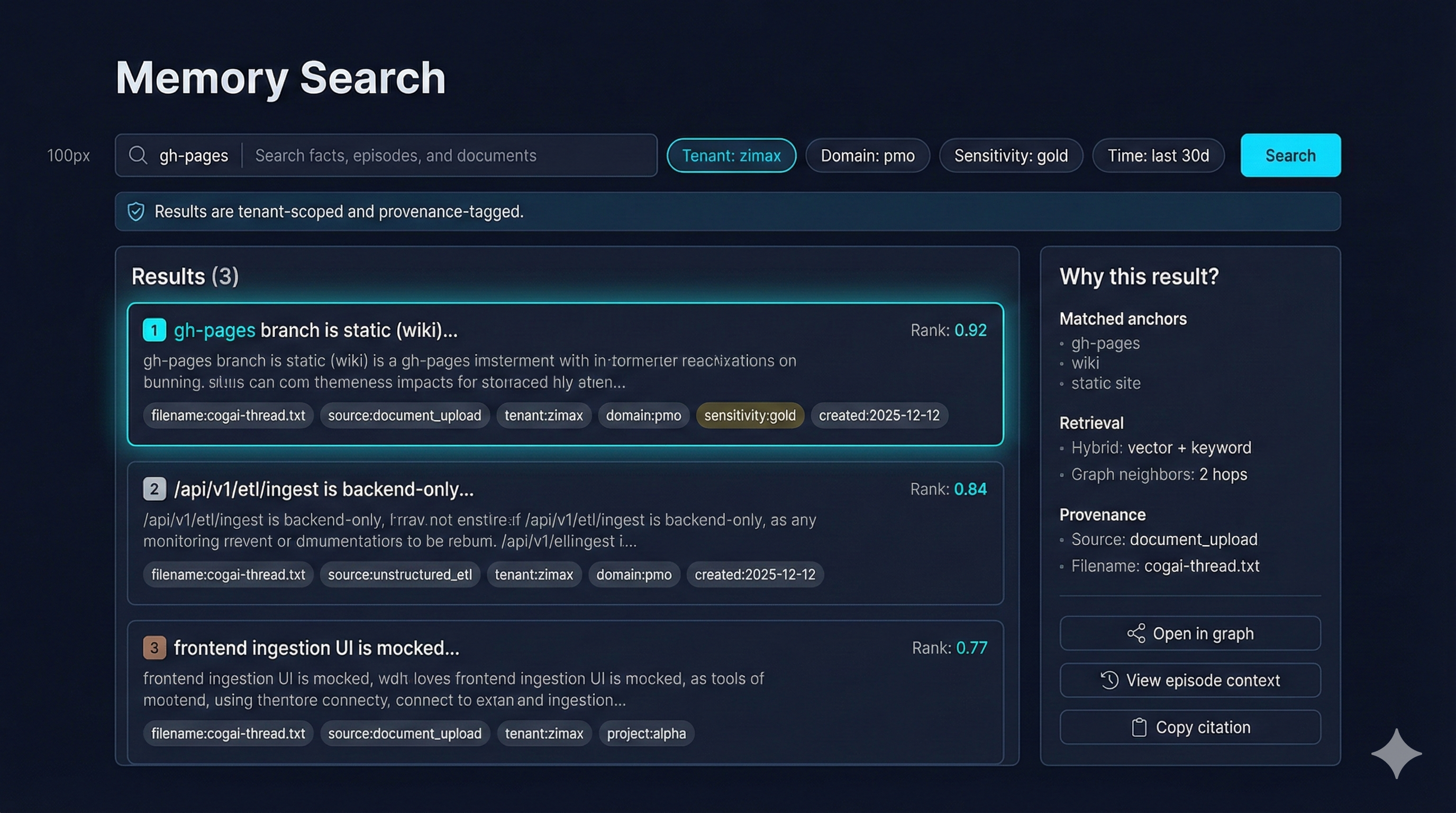
- Results are tenant-scoped with provenance chips (tenant, domain, sensitivity).
- Hybrid retrieval (vector + keyword) is surfaced; graph neighbors shown for traceability.
3. Workflows (Spine)
Control plane for long-running, durable processes managed by Temporal.
- Active Workflows: View currently running agents and waiting tasks.
- History: Audit trail of completed workflow executions.
- Signals: Human-in-the-loop controls (Approve/Reject/Cancel).
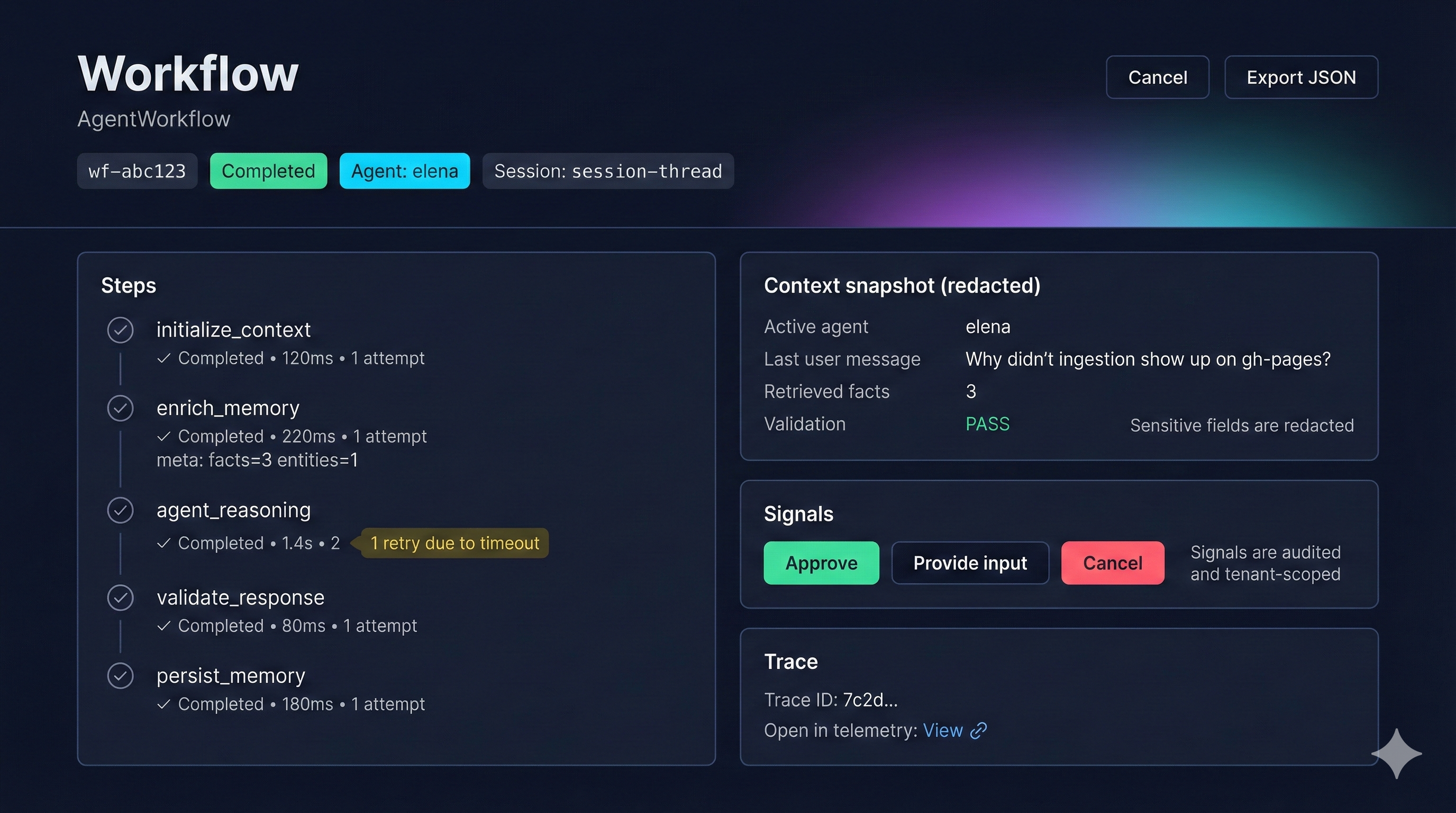
- Shows per-step timing, retries, and validation status for deterministic runs.
- Signals (Approve/Cancel/Provide input) are audited and scoped per tenant.
4. Settings
Configuration for user and system preferences.
- General: Toggle maintenance mode, set default agents, and themes.
- Voice: Configure voice inputs/outputs (future).
5. Admin
Operational dashboard for platform administrators.
- User Management: Role-based access control and user status.
- System Health: Real-time status of backend services (API, Temporal, Zep).
- Audit Logs: Security and operational logs.
BAU Hub (Daily operations)
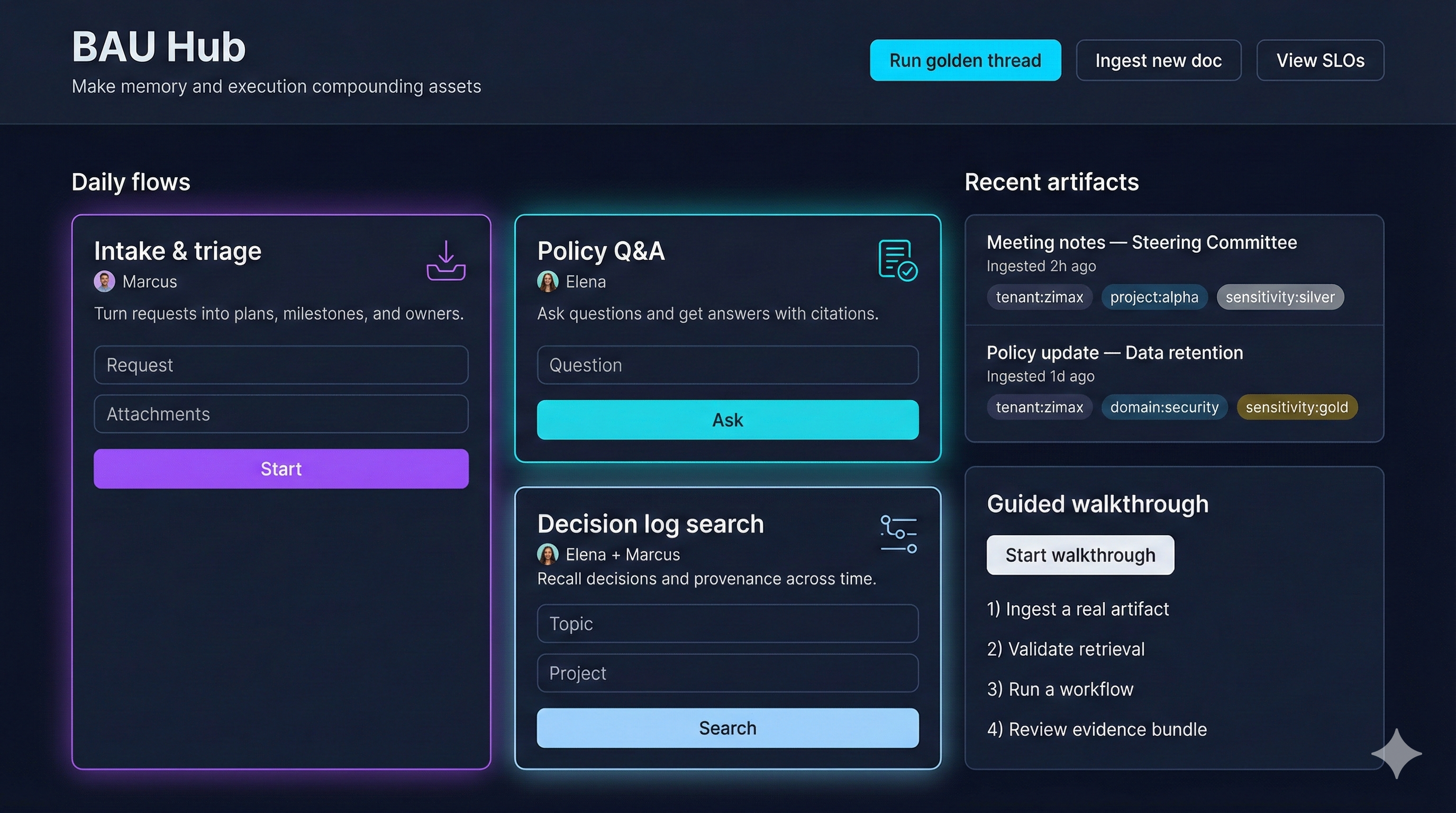
- Daily flows for intake/triage, policy Q&A, decision log search, and guided walkthroughs.
- Recent artifacts and sensitivity tags keep analysts aligned to tenant/domain guardrails.